 Kristen Williams
The Cascadia Cup is back, and so is the scramble to watch it. Seattle Sounders FC hosted the Portland Timbers on Thursday, July 16, 2026, at 7:30pm PT — the first of two derby meetings, with the return leg set for August 1 at Providence Park in Portland. Both fixtures stream on Apple TV through MLS Season Pass, and that single detail is sending thousands of fans searching for the fastest — and cheapest — way to tune in. Before you click the first "free live stream" link that pops up, an electronics and cybersecurity specialist has a warning: the cheapest option often carries the highest hidden cost.
Where the derby actually streams
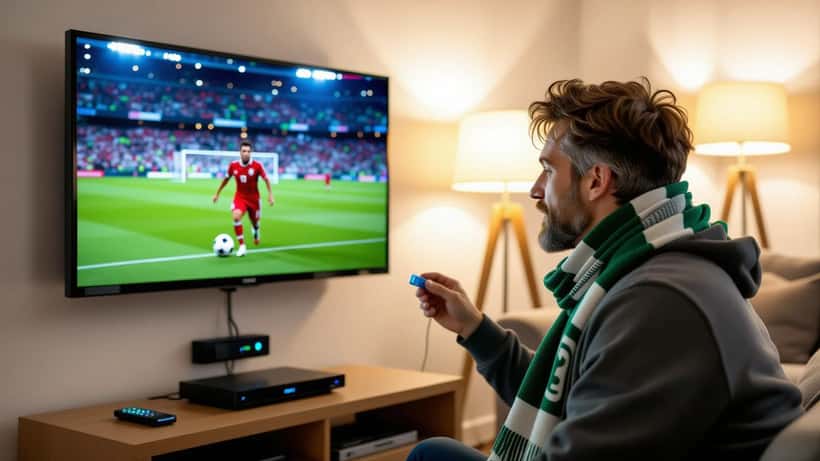
Major League Soccer moved its entire broadcast package to Apple TV's MLS Season Pass, and the Cascadia Cup is no exception. Both the July 16 fixture in Seattle and the August 1 rematch at Providence Park are carried there, according to MLSSoccer.com. That means there is no over-the-air channel, no cable sports tier, and no regional broadcaster to fall back on. If you want to watch legally, the path runs through the Apple TV app — available on smart TVs, streaming sticks, game consoles, phones, and the web.
The rivalry stakes are real this season. Seattle came into the derby sitting sixth in the Western Conference at 7-3-3, while Portland — 4-2-8 and 13th — arrived under interim manager Jack Cassidy after the departure of Phil Neville, per bet365's match preview. The Cascadia Cup itself is decided across the season: each of the three clubs (Portland, Seattle, Vancouver) plays the other two twice, and total points crown the winner, as the Timbers explain in their competition primer. Two derbies, high emotions, and a lot of households trying to watch at once.
The trap fans keep falling into
When a match sits behind a single paid app, search traffic for "free stream" spikes. That is exactly the moment scammers wait for. The U.S. Federal Trade Commission warns that when a site or app offers free streams of "big-league sports" and popular shows, "the hidden cost of that 'free' site is probably malware." Pirated streaming apps and browser add-ons are a favorite delivery method precisely because sports fans install them in a hurry, minutes before kickoff.
The damage does not stop at your TV. The FTC notes that malware riding in on a pirate app can jump across your home Wi-Fi and infect other devices — including the laptop or phone you use for online banking. From there, hackers can harvest saved credit card numbers and shopping logins, then resell them on the dark web. A "free" derby stream can quietly cost you a drained account and weeks of cleanup.
What an electronics specialist checks first
If you are setting up to watch on August 1, a few practical steps separate a smooth broadcast from a frustrating — or dangerous — evening.
Start with the device itself. Apple TV's app runs natively on most 2018-and-newer smart TVs, Roku, Fire TV, Chromecast with Google TV, PlayStation, and Xbox. If your TV is older or sluggish, a current-generation streaming stick is usually a better fix than a whole new set — and it keeps your software updated with the latest security patches.
Next, wire up for stability. A rivalry match with a national audience is a stress test for home bandwidth. A 4K stream wants a steady 25 Mbps or more, and Wi-Fi congestion is the usual culprit behind buffering at the worst possible moment. Where you can, connect the streaming device by Ethernet, or move your router closer and switch to the 5GHz band. Rebooting the router an hour before kickoff clears the memory leaks that build up over weeks of uptime.
Finally, lock down the account. Use a unique password for your streaming login, enable two-factor authentication, and never enter payment details into a "match unlocked here" pop-up. Legitimate services do not sell you a single game through a link in a comment thread.
Building a viewing setup that lasts
For fans who host derby watch parties twice a season, the questions get more technical: Which soundbar handles crowd noise without drowning commentary? Is a projector worth it for a backyard screening on a summer evening? Does an older 1080p TV bottleneck a 4K feed enough to matter? These are the trade-offs where a quick consultation pays off. An electronics technician can look at your specific room, TV age, and internet plan and tell you what to upgrade — and, just as often, what to leave alone.
That is the quiet value of expert advice in a moment like this. The temptation on derby day is to solve a streaming problem in sixty seconds with a sketchy link. The better move is a five-minute plan: confirm the app works on your device, test your connection the day before, and keep your network clean of pirate software. If you are unsure whether your setup can handle the August 1 rematch — or which streaming device fits your TV — a consumer electronics specialist can walk you through it before kickoff, not after your feed freezes at 1-1.
The Cascadia rivalry is one of the loudest in North American soccer, and it deserves a screen that does it justice. Watch it the right way: on the legitimate stream, on hardware you trust, over a network no one else is siphoning. Your bank account will thank you as much as your eyes.
