 Ben Davies
Major League Soccer arrives on Apple TV for the 2026 season on Saturday 21 February 2026, and for the first time every UK viewer can stream all of it without a separate sports package. Apple confirmed in November 2025 that its multi-year deal now folds the entire league — regular season, Leagues Cup and the MLS Cup Playoffs — into a standard Apple TV subscription, with no blackouts and coverage across more than 100 countries. The old standalone MLS Season Pass, which ran until the end of the 2025 season, is gone. For British fans who want to follow Lionel Messi's third full campaign at Inter Miami, or the rising wave of homegrown American talent ahead of a home World Cup, the question is no longer where to watch but how to set it up properly.
What actually changed for 2026
Until last season, watching MLS in the UK meant buying MLS Season Pass as an add-on. From the 31st MLS season, that add-on no longer exists. Every match is now included at no extra cost with an Apple TV subscription, which in the UK costs £9.99 a month or £89.99 for a year — a saving of roughly 55% versus paying monthly. Apple also offers a seven-day free trial, and a single subscription can be shared with up to five family members through Family Sharing.
That bundling is a genuine shift. A casual fan no longer pays a premium for one league; a household already subscribed to Apple TV for films and drama gets 34 games per team thrown in. But it also means the viewing experience now depends entirely on how well your hardware handles the Apple TV app — and that is where a little planning pays off.
Getting the picture right: a consumer electronics view
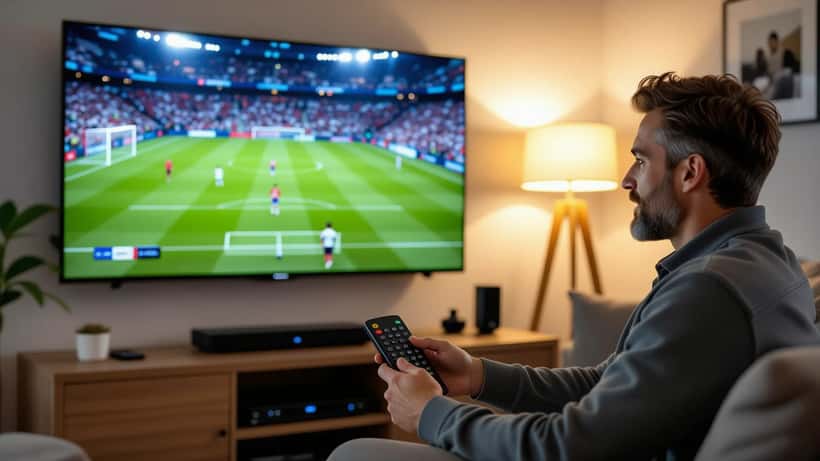
Apple streams MLS in 4K with HDR where the match feed supports it, so the weak link in most living rooms is not the broadband but the device running the app. The Apple TV app is available on Apple TV boxes, most recent smart TVs from Samsung, LG, Sony and VIZIO, on Amazon Fire TV, Google TV, Roku, games consoles and, via a browser, on a Windows PC.
The catch is that not every "smart TV" runs the app equally well. Older sets from before roughly 2019 may not receive the app at all, or may run an underpowered version that stutters on live sport. A consumer electronics specialist will usually recommend one of two fixes: either drive the TV with a dedicated streaming device — a current Apple TV 4K box or a Fire TV Stick 4K sits comfortably under £70 — or confirm your existing set genuinely supports 4K HDR playback of the app before assuming it does. Fast live action punishes cheap panels and slow processors far more than a boxset ever will.
Three practical checks are worth making before kick-off on 21 February:
- Bandwidth. A stable 25 Mbps connection comfortably carries a single 4K stream; if several people stream at once, aim higher and use a wired Ethernet connection to the streaming device rather than Wi-Fi for the main TV.
- Audio latency. If you pair a soundbar or wireless speakers, check for lip-sync drift — many TVs have an audio-delay setting to correct it, which matters when a commentator's voice trails the goal.
- HDMI. For 4K HDR you need an HDMI 2.0 port or better and a cable rated to match; a decade-old HDMI lead is a common, invisible reason a 4K stream quietly drops to 1080p.
For readers weighing up a wider streaming stack, our guide to Sky Sports News streaming in 2026 covers how these devices handle multiple live-sport apps side by side.
The rule most fans forget: a TV licence
Here is the point that trips people up. Because MLS matches on Apple TV are streamed live, as they are broadcast, UK rules treat them the same as any other live television. Under UK law you need a valid TV Licence to watch or record any live programme, on any channel or streaming service, at the moment it is broadcast — that explicitly includes live content on online services. The official guidance is set out by the government at gov.uk/tv-licence.
On-demand replays of a finished match sit in a greyer area, but watching a game as it happens does not: a live stream needs a licence, currently £174.50 a year for a colour licence. It is a small detail with a real financial and legal consequence, and it applies whether you watch on a television, a laptop or a phone.
Why an expert is worth a phone call
None of this is complicated, but the combination — a new bundling model, hardware that varies wildly in capability, and a licensing rule that applies to live sport — is exactly the sort of thing where thirty minutes with a consumer electronics adviser saves money and frustration. A specialist can tell you whether your five-year-old TV will run the app or needs a £60 box, whether your broadband will hold a 4K stream on a Saturday night, and how to wire audio so the commentary matches the action.
For fans following players who move between MLS and Europe, the scheduling also matters: the league pauses for the World Cup, and our explainer on the MLS World Cup break and player contracts sets out what that means for the 2026 calendar.
The bottom line for 21 February is simple. The paywall around MLS has effectively come down for UK viewers, but the quality of what you see now rests on your own kit. Get the device, the bandwidth and the licence sorted before the first whistle, and an entire American season in 4K is yours for less than a tenner a month.
