 James Thompson
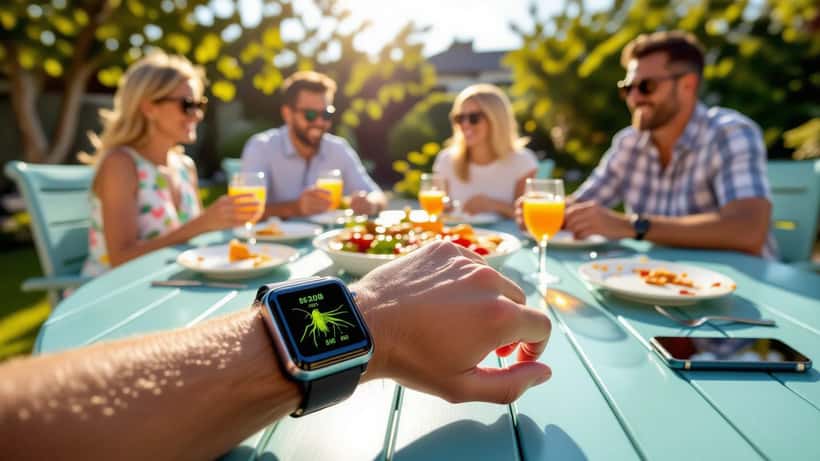
England and India walked out at Lord's on Saturday 19 July 2026 for a winner-takes-all third one-day international, the series locked at 1-1, and for once the biggest technology question of the day was not about the giant screens inside the ground. It was about the small screen on millions of wrists. England chose to bat first and Ben Duckett brought up his fourth ODI century inside the first two sessions, and across the country supporters at barbecues, on trains and in supermarket queues tried to keep pace with the score on a smartwatch rather than a phone. That habit is now mainstream, and it comes with a set of avoidable technical traps.
Why the watch, not the phone, is now the second screen
The appeal is obvious. A glance at the wrist is discreet during a family lunch, hands-free while driving to a weekend fixture, and faster than unlocking a phone every over. The series has been close enough to justify the obsession: India won the opener at Birmingham on 14 July by six wickets, England levelled in Cardiff on 16 July with a four-wicket win that left Joe Root stranded on 99, according to match reports from Sky Sports and ESPNcricinfo. With Jasprit Bumrah ruled out through a knee injury and KL Rahul recalled, every wicket at Lord's mattered, and fans wanted each one delivered to the wrist in real time.
The problem is that a smartwatch is a compromise device. It has a fraction of a phone's battery, a smaller antenna and, on most models, no independent mobile connection. Push it hard for eight hours of live cricket and it can die well before the last ball. A handful of settings decide whether it lasts the innings.
The battery maths every fan gets wrong
Live score notifications are not free. Each vibration wakes the screen, fires the haptic motor and pings a server, and a tight ODI can generate a wicket, boundary or milestone alert every few minutes. On a typical watch, an always-on display combined with constant alerts can roughly halve the runtime you would get on a quiet day.
Three changes protect the battery without cutting you off from the action. First, turn off the always-on display for the day and rely on raise-to-wake, which stops the screen glowing during every delivery. Second, thin out your alerts: keep wickets and end-of-innings, silence single runs and app-store promotions. Third, if your watch offers a low-power or battery-saver mode, switch it on at the toss rather than when the battery hits ten per cent, because the earlier you cap the background activity, the more overs you buy. A watch is an electronic system with a fixed energy budget, and the fan who plans that budget at 11am is the one still getting alerts at the death.
Connectivity: where the score actually disappears
A far more frustrating failure is the score that simply freezes. On most wrist devices this is not a fault with the scoring app at all. A standard smartwatch has no SIM and relays data through your phone over Bluetooth, so the moment you walk out of range of your handset — leaving it charging upstairs, for instance — the live feed stops updating even though the watch still shows the last known score. Fans then blame the app for being "stuck" on a total that is twenty runs old.
Keep the paired phone within about ten metres and on a working data or Wi-Fi connection. If you own a cellular-enabled watch with its own eSIM, check that the plan is active and that live-score updates are permitted on mobile data, not restricted to Wi-Fi only. Consumer-electronics support lines see a spike in "frozen score" complaints on big match days that turn out to be nothing more than a phone left in another room.
The permission you granted without reading
There is a quieter cost to wrist-worn scores. Sports and score apps often request access to location, contacts, health data and background activity, and a watch app inherits many of those permissions from its phone counterpart. The UK's Information Commissioner's Office advises consumers to review what each app can access and to switch off any permission that is not needed for the task, because an app only needs a data connection to show a cricket score — not your location history. It is worth a two-minute audit in your watch's companion app before the next big series. You can review the ICO's practical guidance on managing your data online through its official consumer advice pages.
When a "small" fault is worth an expert's time
Most match-day problems are settings, not defects. But if your watch drains fully within two or three hours even in battery-saver mode, if the haptics have stopped, or if it disconnects from a healthy phone that is sitting right next to it, that points to a failing battery cell, a worn Bluetooth module or corrupted firmware rather than a cricket app. Modern wearables are sealed, glued units, and a do-it-yourself battery swap risks cracking the screen or breaking the water seal. A consumer-electronics technician can test the cell health, reseat the connection and reflash the software, often for far less than the cost of a replacement watch.
For fans who prefer the big picture, the wrist is best treated as a companion to the main broadcast rather than a replacement — the same care that goes into calibrating a living-room set applies here, as covered in our guide to setting up your TV and streaming for England v India.
The takeaway for the next decider
The Lord's decider proved again that fans will follow a tight run chase from anywhere, and the smartwatch has quietly become the device that lets them. Treat it like the small, battery-limited computer it is: cap the display, prune the alerts, keep the phone in range and audit the permissions. Do that at the toss, and your wrist will still be buzzing when the winning runs are hit. If it will not — after the settings are right — an electronics specialist, not a new gadget, is usually the cheaper answer.
