 Ben Davies
England open their one-day international series against India today, 14 July 2026, with the first ODI at Edgbaston in Birmingham, and millions of UK fans will settle in front of the television for the next fortnight. The three-match series continues with a day-night fixture in Cardiff on 16 July and finishes at Lord's on 19 July. Every ball is live on Sky Sports Cricket and Sky Sports Main Event, with online streaming through the Sky Go app and NOW.
That is the good news. The bad news is that a poorly set-up living room can turn a marquee series into a frustrating afternoon of buffering, washed-out colour and tinny audio. Before the first delivery, it is worth a five-minute check of your kit — and understanding your legal obligations before you press play.
Why this series is a real test for your setup
England arrive in form. After beating India 4-0 in the preceding T20 series to move top of the ICC T20I rankings, interest in the 50-over matches is high, and the day-night fixture at Cardiff will push home displays harder than a normal daytime game. Floodlit cricket produces fast-moving bright objects against a dark background — exactly the scenario where a cheap panel smears the ball and crushes shadow detail.
Streaming a live sports feed is also more demanding than watching a boxset. Live broadcasts cannot buffer far ahead, so your connection has to keep up in real time. If your broadband dips during a run chase, the picture drops resolution or freezes at the worst possible moment.
The broadband question comes first
Picture quality starts with your connection, not your television. For a stable high-definition stream, a consumer-electronics specialist will typically recommend a wired ethernet connection to your main viewing device rather than relying on Wi-Fi across the house. If you must use Wi-Fi, sit the router in the open and keep it away from the microwave and thick walls.
The regulator Ofcom publishes independent guidance on the broadband speeds different households actually need and how to test what you are getting, which is a sensible first stop if your stream keeps stuttering. As a rough guide, a single high-definition sports stream is comfortable on a reliable connection in the low tens of megabits per second, but a full house streaming, gaming and scrolling at once needs considerably more headroom.
Get the picture settings right
Most televisions ship in a punchy "Standard" or "Vivid" mode designed to catch the eye in a bright showroom, not to render a cricket ball faithfully in your front room. For live sport, switch to the "Sport" or a calibrated "Filmmaker" or "Cinema" preset and then look for a motion-smoothing control, often labelled as motion interpolation.
Motion handling is the single biggest variable for cricket. Too little and fast bowling blurs; too much and the picture takes on an unnatural "soap opera" look. Set it to a low or medium level and judge it on a genuine sprint between the wickets rather than a static crowd shot. For the Cardiff day-nighter, nudge the backlight up and check that dark-detail settings are not crushing the shadows around the boundary.
Sound is half the experience
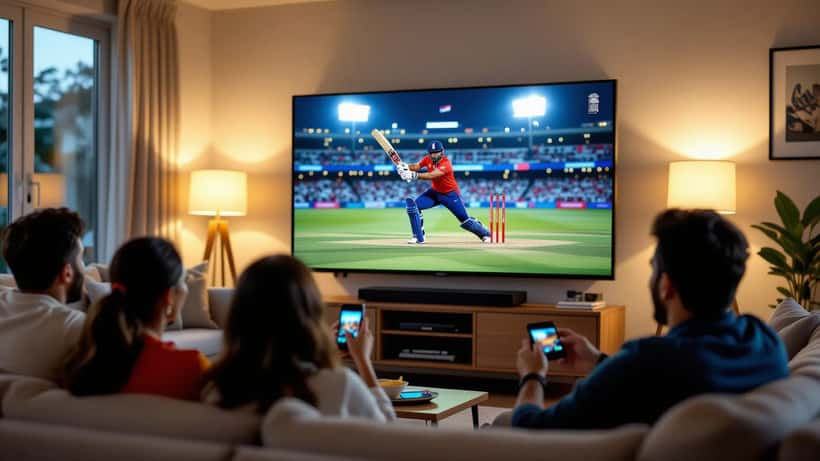
Stump mic chatter, the crack of a cover drive and the roar of Edgbaston are lost through thin built-in speakers that fire backwards from the panel. A modest soundbar is the highest-impact upgrade most viewers can make for the money. Look for a model with a dedicated centre channel for clear commentary and, if you want the crowd atmosphere, a separate subwoofer.
If several people are watching, position the soundbar directly below the screen at ear height and keep it clear of cabinet doors that muffle the output. You do not need a cinema system for cricket — clarity matters more than sheer volume.
Do not gamble on an illegal stream
Every year, big series tempt fans towards unofficial "free" streams and dubious set-top boxes. These are a false economy. The picture is usually low resolution and unstable, and the sites are a common vector for malware and card-skimming scams. If a device or app promises premium sport for a suspiciously small one-off payment, treat it as a red flag.
There is also a licensing point that catches people out. In the UK you need a valid TV Licence to watch or record live television as it is broadcast, and that includes watching live on streaming services and apps such as Sky Go. The official rules on when a licence is required are set out on the government's own guidance at gov.uk. Getting this wrong is not worth the saving on a series you can watch properly.
When to call an expert
Home entertainment has quietly become complicated. Between broadband tiers, HDMI standards, streaming apps and the settings buried three menus deep, plenty of well-bought equipment underperforms simply because nobody optimised it. A short consultation with a consumer-electronics adviser can pay for itself, whether you are choosing a television before the Lord's finale, matching a soundbar to your room, or diagnosing why one particular app keeps dropping to standard definition.
If you would rather spend the series watching cricket than fighting your remote, you can book a consumer-electronics or home-technology specialist through Expert Zoom to get your living room match-ready. For the wider context on the rivalry itself and your rights as a paying fan, our England versus India series coverage has more.
The cricket is booked in for 14, 16 and 19 July. Spend a few minutes on the setup today, and the only thing dropping this fortnight will be the catches on the boundary.
