 Liam Wilson
Richmond and Hawthorn meet at the MCG in Round 19 on Sunday afternoon, and the tipsters have already made up their minds. Statistical models tracked by StatsInsider and Forebet rate the Hawks as heavy favourites, with one prediction engine putting Hawthorn at around 74% to win and forecasting a margin near 38 points. Whether you back that call or expect the Tigers to spoil the party, one thing is certain: hundreds of thousands of Australians will watch it from the lounge room. If your last big-match experience was ruined by buffering, a washed-out picture or muddy commentary, now is the time to fix it — before the first bounce.
Why the lounge room is the real battleground
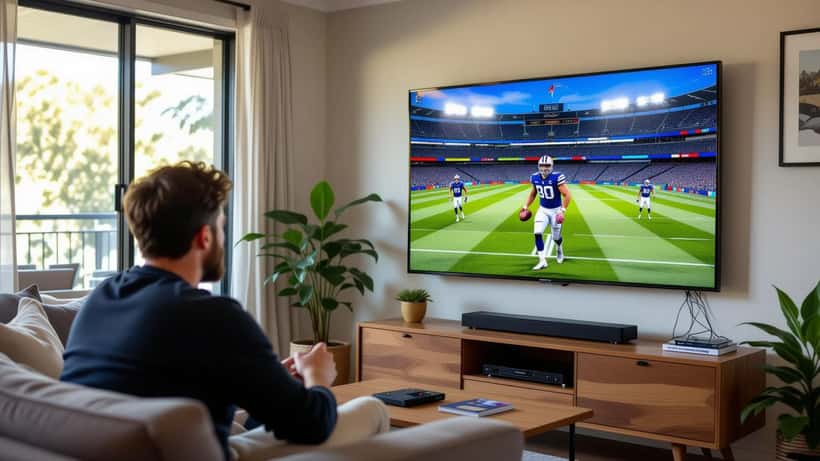
Most AFL viewers no longer sit in front of a traditional aerial. They stream, through a broadcast app or a subscription sports service, over home Wi‑Fi. That shift has quietly turned match day into a technology test. A 4K stream of a fast-moving football game demands a stable connection, a capable screen and audio that can separate a boundary-line call from 90,000 fans at the MCG.
The problem is that most home setups were never configured for live sport. They were plugged in, switched on and left alone. Live AFL exposes every weakness: the panning camera reveals motion blur, the crowd noise drowns out the commentary, and a congested network drops the feed at the worst possible moment. A consultation with a consumer electronics specialist before a marquee round is a low-cost way to avoid a high-frustration afternoon.
Fix your connection first
Streaming quality is decided long before the picture reaches your screen. A live 4K sports feed generally wants a steady broadband speed and low latency, and a Sunday-afternoon slot means the whole street is often online at once. The Australian Competition and Consumer Commission runs the national Measuring Broadband Australia program and publishes guidance on your rights when a service does not deliver the speed you pay for; its overview of consumer rights and guarantees is a useful starting point if your connection consistently underperforms.
Practical steps a specialist will usually recommend: connect your TV or streaming box to the router with an Ethernet cable rather than Wi‑Fi where possible, restart the router well before kick-off, and close other bandwidth-hungry devices. The same lag-free streaming principles that keep a big NRL night smooth apply just as much to a Sunday AFL slot. If the picture still stutters, the fault may be the app, the device or the plan — and knowing which one saves you from buying hardware you do not need.
Match the screen to the sport
Not every television handles fast motion well. AFL is one of the most demanding things you can put on a panel: quick camera pans, players moving across a huge field, and a small ball to track. A technician assessing your setup will look at the screen's motion handling and its picture settings, not just its size.
The single most common mistake is leaving the TV in its bright, oversaturated "shop" or "vivid" mode. That preset is designed to stand out under showroom lighting, not to render a green oval accurately in a dim lounge room. Switching to a "cinema", "sport" or "filmmaker" mode, then adjusting brightness for your actual room, often produces a dramatically better image at no cost. Enabling the correct motion-smoothing level — enough to reduce blur, not so much that it looks artificial — is the kind of fine-tuning where expert advice pays off.
Don't forget the sound
Picture gets the attention, but audio is where the atmosphere lives. Flat-panel televisions are thin, and their built-in speakers struggle to reproduce both a clear commentary line and the roar of a full MCG. The result is a match that sounds distant and muffled.
A modest soundbar, correctly positioned and set up, transforms the experience. The key is configuration: matching the audio output format to your bar, positioning it so dialogue stays centred, and balancing crowd noise against commentary — the same streaming and sound checklist worth running before any marquee AFL fixture. These are small adjustments that most owners never make, and they are exactly the sort of thing an audio-visual expert can dial in quickly.
Buying before the bounce: know your rights
If the match is the excuse to finally upgrade the TV or add a soundbar, buy with your consumer protections in mind. Under Australian Consumer Law, electronics must be of acceptable quality, safe, durable and fit for purpose — automatic guarantees that apply regardless of any separate manufacturer warranty. That matters when you are spending on a premium panel and want recourse if it fails.
Before you commit, it is worth getting an independent view on whether you need a new screen at all. Many "buy a new TV" impulses are really "my current TV was never set up properly" problems. A short consultation can tell you whether a fifteen-minute calibration would do the job, or whether an upgrade is genuinely justified.
The expert takeaway
Richmond versus Hawthorn is a fixed point on the calendar, and the models suggest the Hawks arrive as clear favourites. What is not fixed is how good the game looks and sounds in your home. Connection stability, picture calibration, audio setup and a smart purchasing decision are all within your control — and all easier with professional guidance than with guesswork.
Rather than troubleshooting a frozen stream at the first bounce, consider a quick session with a consumer electronics specialist beforehand. Getting the fundamentals right once means every match for the rest of the season looks the way it should. On ExpertZoom you can connect with home theatre and audio-visual experts who set up streaming, calibrate screens and tune sound systems — so the only thing left to worry about on Sunday is the scoreboard.
