 Liam Ryan
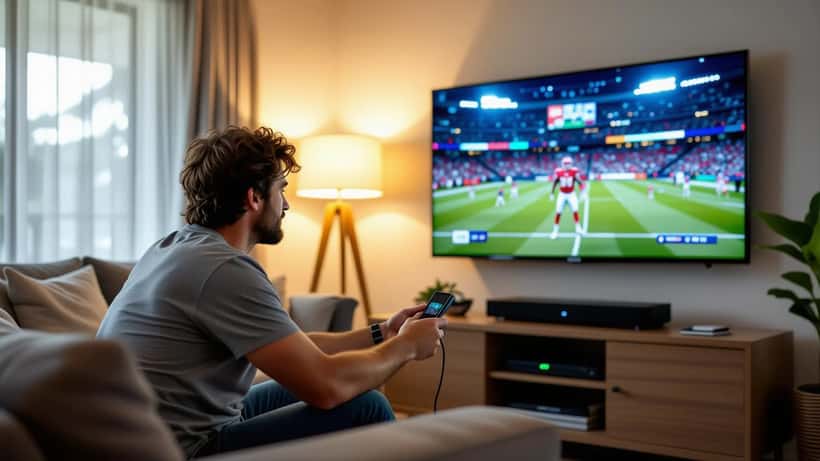
When Cronulla-Sutherland and the Newcastle Knights meet in the 2026 NRL season, tens of thousands of Australians will skip the drive to the ground and watch from the lounge room instead. The trending "Sharks vs Knights" search spike is as much about how to watch as it is about the result. A blurry, buffering stream — or worse, a dodgy "free" link that quietly installs malware — can ruin the night faster than a golden-point loss. Here is how a consumer electronics specialist would set up your home viewing so the only surprise is on the scoreboard.
Get the picture right before kick-off
Most modern NRL broadcasts in Australia are delivered in 1080p or 4K, but a television left on its factory "Vivid" or "Dynamic" preset rarely does the footage justice. For live sport, switch your TV's picture mode to "Sport" or, better, "Standard" or "Filmmaker" mode, then enable any motion-smoothing setting labelled for sport. Motion interpolation reduces the judder you notice when the camera pans across a fast break, though set it to low or medium — the highest setting can create a distracting "soap opera" look on player close-ups.
If your set supports it, turn on the game or low-latency picture mode. This strips out heavy image processing that adds a delay of up to a second, which matters when your neighbour three doors down is streaming a faster feed and shouting at every try before you see it.
Fix the network, not just the app
Buffering is almost never the streaming app's fault. It is usually the last few metres of your home network. A 4K sports stream needs a stable connection of roughly 25 megabits per second, and live sport is less forgiving of drop-outs than on-demand video because it cannot "buffer ahead."
Three quick wins from any home-electronics technician:
- Use a wired connection. A cheap ethernet cable from the router to your TV or streaming box eliminates the Wi-Fi congestion that spikes on a Friday or Saturday night when the whole street is online.
- Move the router, or add a mesh node. Thick walls and a router hidden in a cupboard are common culprits. If wiring is not an option, a mesh Wi-Fi node near the TV is more effective than a single powerful router across the house.
- Reboot before the game, not during it. Restart your router and streaming device an hour before kick-off so any firmware updates finish before the match, not at the 40th minute.
The "free stream" trap
Every big NRL fixture brings a wave of social-media posts and search results promising a free live stream. Many are harmless-but-illegal offshore sites; a significant share are traps. Clicking through often triggers fake "install this player" or "your device is infected" pop-ups designed to load malware or harvest your card details.
Australia's Scamwatch service, run by the National Anti-Scam Centre, repeatedly warns that pop-ups claiming your device is infected or that you must "verify" payment details are classic tricks used to install malware or steal card numbers. You can check its current advice on spotting these scams at scamwatch.gov.au. The practical rule is simple: if a site asks you to disable your antivirus, install a browser extension, or "verify" your payment details to watch a football game, close the tab.
An IT or consumer electronics expert can also help you lock down the devices around the stream — enabling automatic updates, checking that a smart TV is not running outdated apps, and making sure the family's phones are not logged into the same shady site "to be safe."
Sound that matches the picture
A common complaint after a home-theatre upgrade is that the commentary is crisp but the crowd and on-field audio feel flat. Flat-panel TVs have thin speakers firing backwards or downwards, so even a modest soundbar transforms live sport. Look for one with a dedicated centre channel for clear commentary and a separate subwoofer for the thud of a big hit.
If you already own a soundbar, check that your TV is set to output audio via eARC or ARC over HDMI and that "TV speakers" are switched off in the menu — a surprising number of households run an expensive soundbar while the tinny internal speakers quietly play underneath it.
When to call in an expert
For a single match, the tips above are enough for most viewers. But if you are investing in a permanent setup — wall-mounting a large screen, running cables in-wall, integrating a soundbar and games console, or wiring an outdoor entertaining area for summer sport — it pays to consult a professional. A licensed installer ensures cabling meets Australian electrical standards, that a heavy screen is mounted to structural framing rather than plasterboard, and that your network is provisioned for the streams you actually watch.
The same applies if you suspect a device has already been compromised by a bad stream. Rather than guessing, a technician can scan the device, remove unwanted software, and reset any accounts whose passwords may have been exposed.
Bottom line for game day
The Sharks-Knights build-up is a good reminder that watching from home is now a small piece of home technology, not just a couch and a remote. Calibrate the picture, wire in the network where you can, and treat any "free" stream that behaves oddly as a threat rather than a bargain. Do that, and the biggest risk on the night is the one that has always been there — your team letting a late lead slip.
If you want your lounge room genuinely match-ready, an Expert Zoom consumer electronics or IT specialist can review your setup, recommend the right screen and network gear for your space, and make sure every device is secure before the whistle blows.
