 Liam Wilson
Essendon host GWS Giants at Marvel Stadium this Sunday, 19 July 2026, in a Round 19 clash that starts at 4:40pm AEST — and with the Giants installed as heavy favourites, most Bombers fans will be watching from the couch rather than the terraces. Stats Insider's predictive model gives GWS an 86 per cent chance of winning after their comeback over Geelong, while Essendon looks to respond to a heavy loss to Brisbane. If you are hosting mates for the game, the difference between a blurry, muddy broadcast and a crisp, stadium-like picture usually comes down to five minutes of TV settings you have never touched.
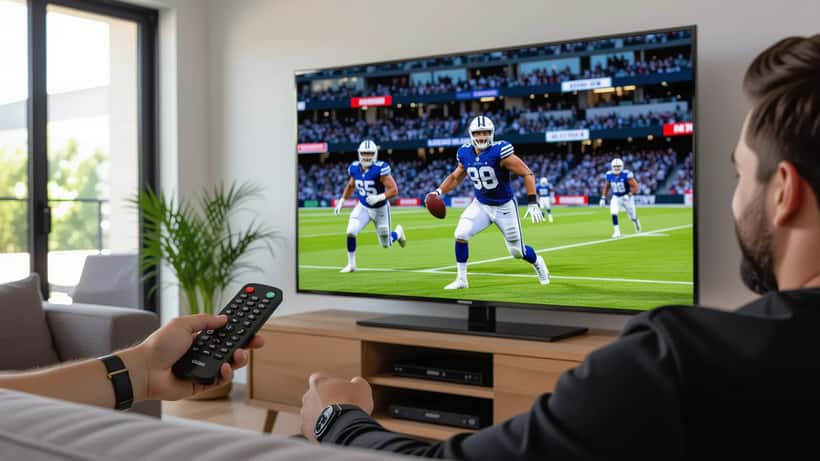
AFL is one of the hardest sports for a television to render well. The ball moves fast, the camera pans constantly across a huge oval, and the red Sherrin is small against green grass. Get the settings wrong and you get motion blur, judder, and washed-out colour. Here is how an audio-visual technician would prepare your lounge room before the first bounce.
Turn off the settings the shop left on
Most TVs ship in a "Standard," "Vivid," or "Dynamic" picture mode designed to look punchy under bright showroom lights. At home those modes crush shadow detail, oversaturate the grass to a cartoonish green, and apply heavy processing. Switch your picture mode to "Sport," "Cinema," or "Filmmaker Mode" instead. Counter-intuitively, "Sport" mode is not always best — it often forces motion smoothing to maximum, which introduces the artificial "soap opera" look. Try "Cinema" or "Filmmaker" first, then adjust motion separately.
Next, find the sharpness control and drop it toward the lower third of the scale. Excess sharpness adds a false white halo around players and the goal posts, which is especially distracting during quick camera pans across the wing.
Tame motion blur without the soap-opera effect
Motion handling is where AFL viewing lives or dies. Every manufacturer brands it differently — Samsung calls it Picture Clarity, LG uses TruMotion, Sony has Motionflow, and Panasonic labels it Intelligent Frame Creation. The goal is to reduce judder during long panning shots without making the footage look like a video game.
Set motion interpolation to "low" or "custom" rather than "off" or "high." On a custom slider, nudge the de-judder value up slightly and keep the de-blur value moderate. If your set has a "black frame insertion" or "clear" option, it sharpens fast motion but dims the picture, so only use it if your room is dark. Sunday's 4:40pm twilight timeslot means your lounge will still have daylight glare, so a brighter setting usually wins.
Match the broadcast to your screen's strengths
The AFL broadcast is delivered at 1080i or upscaled 4K depending on your provider. Set your TV or set-top box to output the native resolution rather than forcing an upscale, and let the television's own processor handle the rest — modern panels upscale live sport more cleanly than most external boxes. Enable HDR only if the broadcast actually carries it; forcing HDR on a standard-definition feed can make the grass look grey and lifeless.
Marvel Stadium is a closed-roof venue, so lighting stays consistent and your contrast settings will hold up for the full four quarters. That is an advantage over open-air night games, where shifting shadows can expose a poorly calibrated screen.
Do not forget the sound
Commentary and crowd noise carry the emotion of a close finish, yet built-in TV speakers fire downward or backward and muddy the dialogue. If you own a soundbar, switch it to a "sports," "clear voice," or "news" preset that lifts the mid-range so you can hear Toby Greene being tackled over the roar of the crowd. If you rely on TV speakers, turn off any "night mode" or dynamic range compression, and raise the "dialogue clarity" setting where available.
For a full house, keep the subwoofer modest — booming bass drowns out the commentary that carries the story of the match. Balance matters more than volume.
When the picture problem is not a setting
Sometimes the fault is not calibration but a genuine hardware defect: a panel that flickers, dead pixels clustered on the wing, or a HDMI port that keeps dropping the signal. If your television is relatively new and develops these faults, you may have rights beyond the manufacturer's warranty. Under the Australian Consumer Law, products must be of acceptable quality and fit for purpose, and the Australian Competition and Consumer Commission notes that these consumer guarantees apply automatically regardless of any voluntary warranty. A major failure can entitle you to a repair, replacement, or refund.
Knowing where a five-minute settings tweak ends and a repairable fault begins is exactly the kind of question a consumer electronics technician answers every week. If your set still looks wrong after you have worked through picture mode, sharpness, and motion, it is worth a professional diagnosis rather than another year of squinting at the footy.
A quick pre-match checklist
Before the 4:40pm bounce on Sunday, run through this: set picture mode to Cinema or Filmmaker, lower sharpness, set motion smoothing to low or custom, output native resolution, confirm HDR only if the feed carries it, and switch your soundbar to a clear-voice preset. Five minutes of preparation turns a frustrating watch into a broadcast that does the Giants-Bombers contest justice.
Whether GWS confirms their finals credentials or Essendon springs the upset the model says is unlikely, you will actually be able to follow the ball. For more on getting the most from your home viewing setup during footy season, a qualified AV technician on Expert Zoom can walk you through calibration tailored to your exact television and room.
